by Ellepalmieri

The sound of FM radio, the way it used to be. Put your tracks in: they come out processed, ready for your set, your playlist, your show.

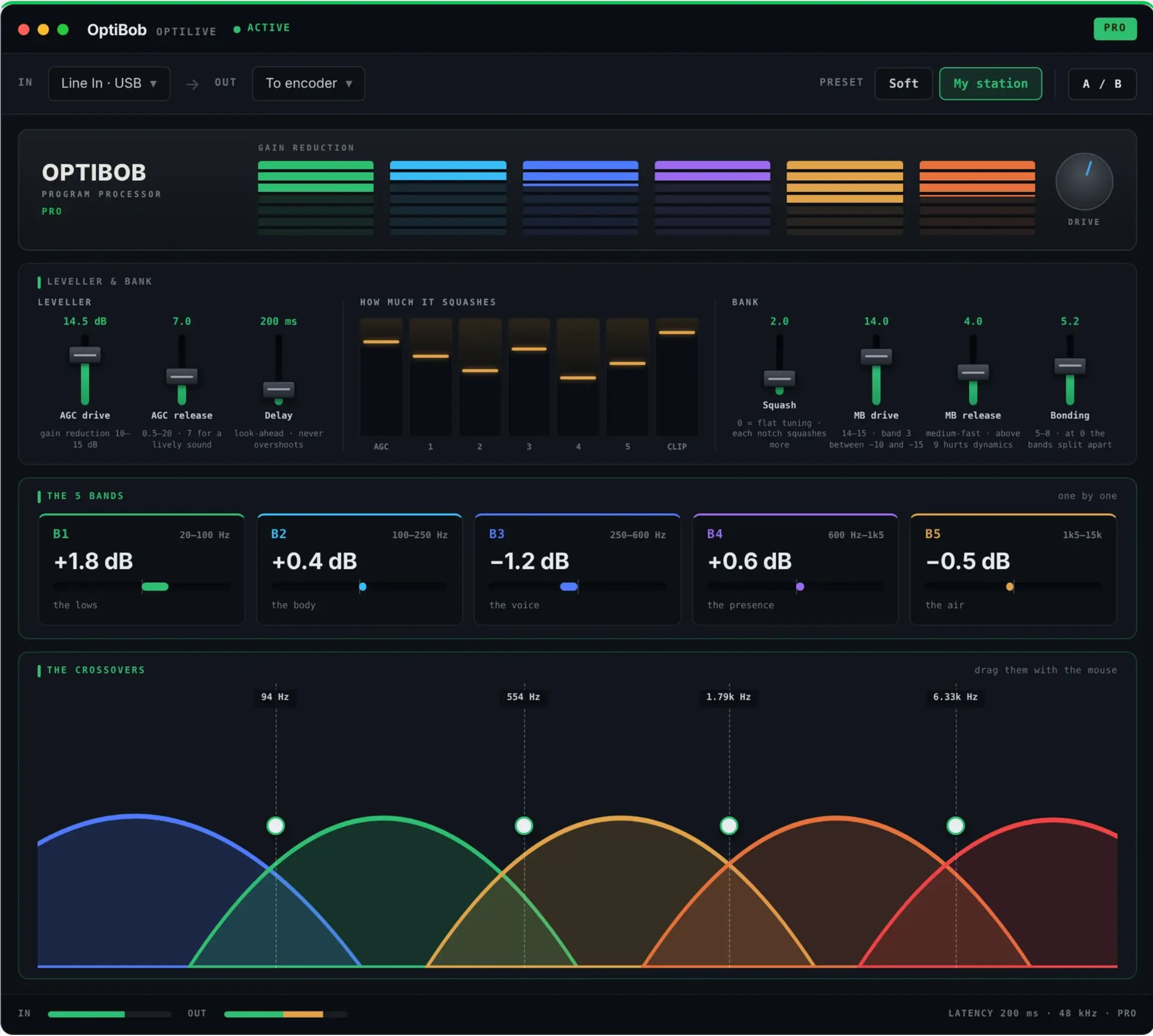
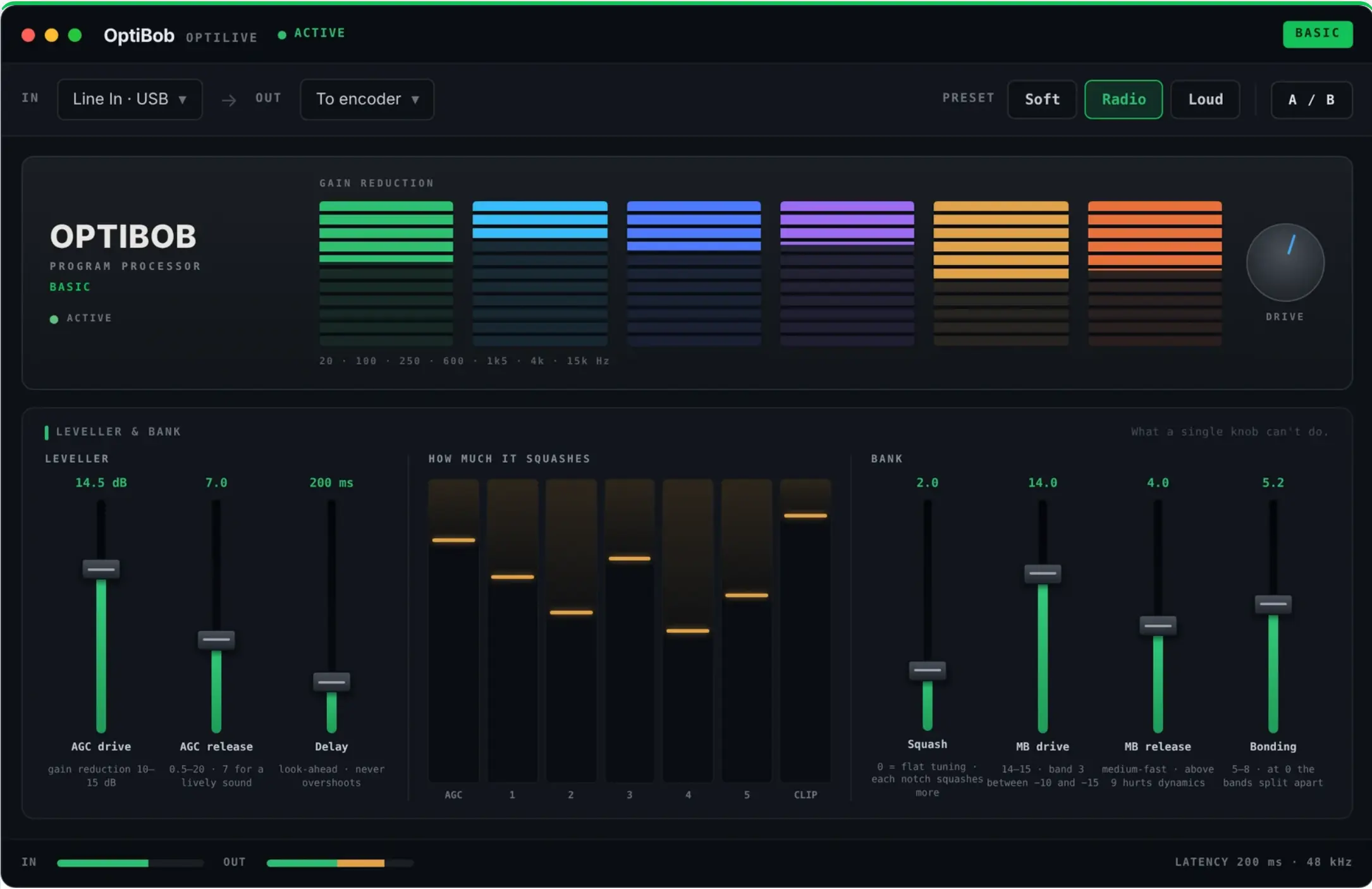
OPTIBOB PROGRAM PROCESSOR ACTIVE GAIN REDUCTION 20 · 100 · 250 · 600 · 1k5 · 4k · 15k Hz DRIVE

Three versions

The same engine in all three — the free ones do not sound worse than the paid one. What changes is where it runs and how much of it you are allowed to touch.

01

OptiBob File

In this page. Nothing to install.

Drop a track in, get it back processed. Everything happens inside your browser: your files are never uploaded anywhere.

  • the whole engine, nothing held back
  • the same tuning the app ships with
  • wav, aiff, mp3, flac, m4a
  • free, no account, no sign-up
Try it below
02

OptiBob Live Free

A Mac app. Processes whatever your Mac is playing.

It sits on the system output and works in real time — a player, a browser, a radio automation, anything. No driver to install: it uses the audio taps macOS provides.

  • the whole engine, nothing held back
  • three ready-made sounds: Soft, Radio, Loud
  • every control visible, so you can see what it is doing
  • macOS 14.4 or newer · no account
Download for Mac

Free · v88, 18 set 2026. Not yet signed by Apple — see how to open it.

03

OptiBob Live Plus

The same app, with every control unlocked.

Same engine, same three sounds. What you buy is the freedom to move it: the controls stop being read-only and your own tunings can be saved.

  • all 137 controls unlocked
  • save and load your own tunings
  • the Optimod panel: the macros that move the chain together
  • every update included, for as long as you subscribe
See the price

Price announced at release.

Prices

Free and Plus are the same engine. The free one does not sound worse: what changes is how much of it you are allowed to touch.

FREE

OptiBob Live Free

Free

for as long as it exists

  • the whole engine, nothing held back
  • three ready-made sounds: Soft, Radio, Loud
  • every control visible, so you can see what it is doing
  • no account, no sign-up
Download for Mac
PLUS

OptiBob Live Plus

/ year

price announced at release

  • all 137 controls unlocked
  • save and load your own tunings
  • the Optimod panel: the macros that move the chain together
  • every update included, for as long as you subscribe

Sold through Paddle. Invoicing and VAT handled at checkout.

Questions

The ones worth answering before you try it.

What does OptiBob actually do?

It levels the record, then splits the sound into five bands and holds each one at a fixed destination, then puts a ceiling on what comes out. That is what makes a radio station sound constant: every record arrives at the same loudness and with the same tonal balance, whatever it was mastered like. It is not an equaliser and not a compressor — those react to what you give them. This one has a place it takes everything to.

Is there anything like it as a plugin — an AGC, a multiband compressor, a clipper?

Those three are exactly what is inside it, and in that order: an AGC that rides the gain slowly so every record arrives at the same loudness, a five-band compressor that holds each slice of the spectrum at a fixed destination, and a final clipper that trims the peaks instead of turning them down. You can buy each of the three separately as plugins; what you cannot easily buy is the three tuned to work as one chain, which is the whole point of a broadcast processor and the reason a radio station sounds constant.

OptiBob is not a plugin: it is a Mac app that sits on the system output, plus this page for files. If you are looking for an alternative to a hardware broadcast processor — the kind of machine an FM station keeps in the rack — that is the shelf it belongs on.

Is it an emulation of an Orban Optimod?

It is an independent project, built by measuring how those machines behave — band by band, against real recordings — and writing our own engine to match. It contains no Orban code. Where a number is published we match it; where it is not, we measured it, and we wrote down how. The name is a nod to Bob Orban, who invented this way of treating sound.

Do my files get uploaded anywhere?

No. OptiBob File runs entirely inside your browser: the audio never leaves your computer, there is no server doing the work and no account to create. Close the tab and nothing of yours remains.

macOS says the developer cannot be verified. What now?

OptiBob is not signed with an Apple Developer ID yet, so the first time you open it macOS stops you. It is not a warning about the app: it is macOS saying it has never seen this developer. To open it anyway: right-click the app and choose Open, then Open again in the box that appears. You only do this once. If the box has no Open button, go to System Settings → Privacy & Security, scroll down, and click Open Anyway next to OptiBob.

Which Mac do I need, and do I have to install a driver?

macOS 14.4 or newer, and no. OptiBob Live uses the audio taps that macOS provides, so there is no driver and no system extension: you open it and it works on whatever your Mac is already playing.

Can I use it with Spotify, Apple Music, a browser?

Yes. OptiBob Live sits on the system output, so it processes whatever is playing without needing anything from the app that plays it.

Is this for radio, or for listening?

Both, and they are the same job. A web radio gets a chain it would otherwise rent; someone listening at home gets records that stop jumping in volume between one and the next. What OptiBob does not do is generate the FM signal itself — it stops at the audio.

OptiBob v88 the same chain as the app — tuning of 18 set 2026

1 your tracks

Drag your files here or click to choose them
wav, aiff, mp3, m4a, flac — any audio file

2 processed

Finished tracks show up here,
with before-and-after listening.

Everything happens inside this page: your files are never uploaded anywhere and never leave your computer.
By using OptiBob you declare that you hold the rights to the tracks you process.

Where this sound comes from

None of it is ours. It was designed by Bob Orban, and it took him a working lifetime. Long before any of this, his name was already on studio gear — parametric equalisers, reverbs, de-essers. The radio came after.

Whole generations of radio were shaped inside those boxes, and a good number of us learned the trade there.

Read this part. OptiBob simulates that character — it is not an Orban, it contains no Orban technology and it does not replace one. Orban processors remain the reference of the industry, and if you are putting audio on the air, that is what you buy.

Personal use only. Commercial use of this work is not permitted. For any request: [email protected]